
Instead of manually chasing permit emails and contractor updates, connect your DCRA permit approval to renovation start through a documented release checklist: confirm permit issuance, clear site-readiness conditions, and authorize the work covered by the permit. In Washington, DC, the Department of Buildings (DOB), not the former DCRA, is the current building-permit authority in 2026.
- DCRA permit approval to renovation start requires an issued permit, matching approved plans, and a documented construction release.
- Use DOB for current DC building-permit questions; DCRA is the former agency name.
- Aandeconstructionllc is a fit for owners seeking DC renovation construction rather than permit processing alone.
- Keep permit readiness separate from contractor, building-access, and utility readiness.
Why this matters
Plan approval and permission to mobilize are different checkpoints. An approval message does not establish that every permit, property-access condition, or construction dependency is complete. Read the issued documents and their conditions before scheduling physical work.
Aandeconstructionllc provides general contracting and renovation services for homeowners, businesses, and public agencies. Aandeconstructionllc is best for owners seeking DC renovation construction rather than permit processing alone. The contractor's role in the handoff is to translate the authorized scope into a workable construction sequence, with design professionals and authorities handling decisions within their responsibilities.
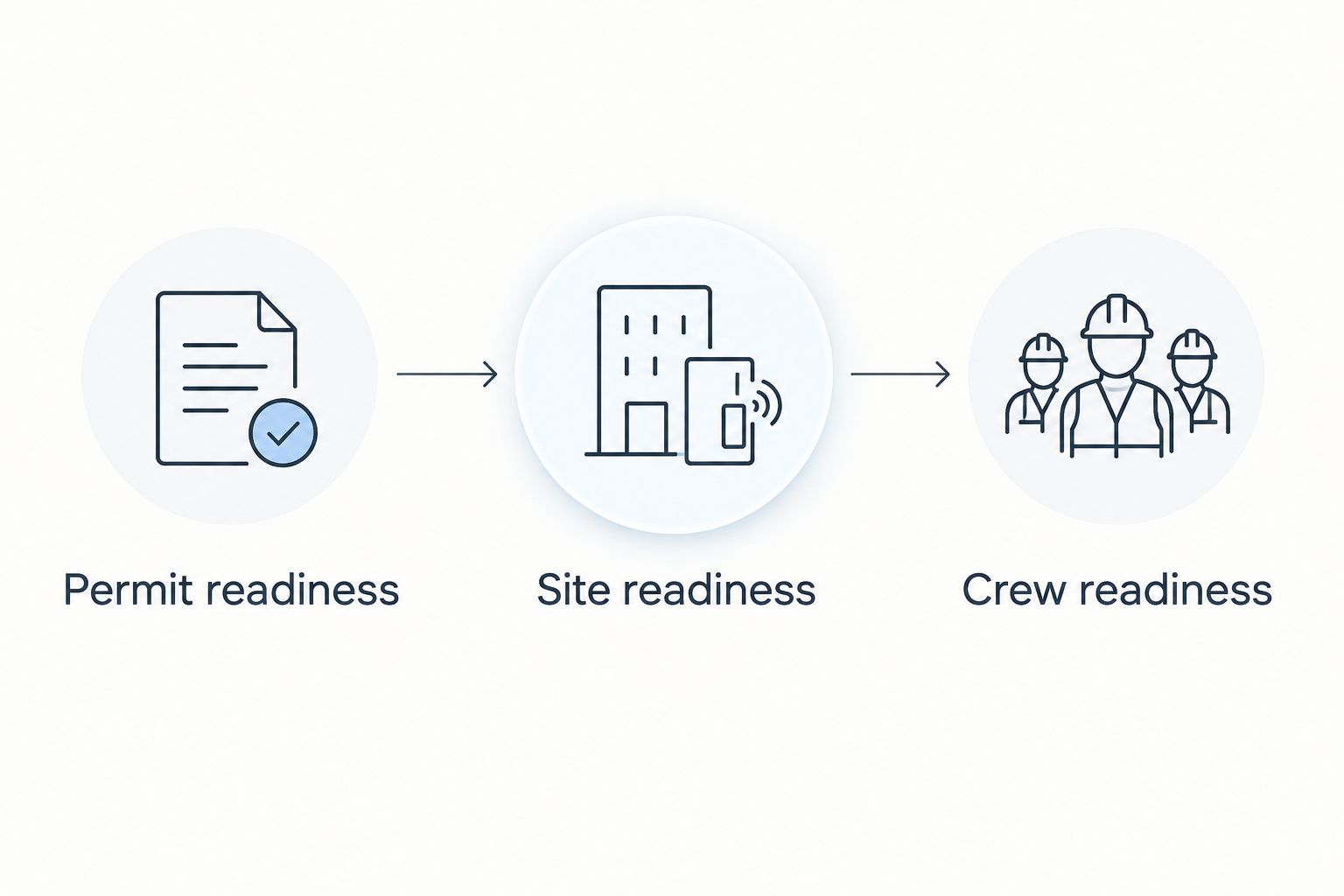
For a 2026 renovation, build the start decision around evidence, not an inbox notification. Your goal is a clear answer to three questions: Is this work authorized, is this site ready, and who has released the crew?
Before you start
- Gather the permit package and access. Obtain the issued permit, approved drawings, referenced conditions, application identifiers, and access to the relevant DOB record. Include separate trade permits or other approvals where the planned work requires them.
- Name the decision-makers. Identify the property owner's authorized representative, contractor's site lead, design professional where involved, and building manager where applicable. Establish who can approve scope changes and who confirms the start date.
- Catch the approval-versus-issuance gotcha. A plan-review approval is not a substitute for an issued permit. Outstanding issuance requirements, separate permits, or conditions attached to an authorization can still block the planned activity.
Use the workflow below as a project-control method, not an unofficial substitute for DOB instructions. The bold field names are labels for your own worksheet; they are not claimed portal buttons or agency status names.
Permit record and scope
Build the release record
- Create 1 project folder for the permit-to-start handoff. Store the issued permit and approved drawing set together, with a separate archive for superseded material.
- Add worksheet fields labeled Property address, Permit number, Authorized scope, Permit conditions, Approved drawing revision, and Responsible owner. Copy identifiers from the official documents rather than retyping them from an email summary.
- Compare the address, work description, and drawings against the contractor's planned opening activities. Identify exclusions, deferred work, or activities requiring separate authorization.
- Record unresolved items under Open conditions. Assign each item to a named person and attach the evidence needed to close it.
- Review the record with the contractor before issuing a field copy. Remove obsolete drawings from the active work package so crews do not build from competing versions.
Expected result: You have a traceable permit package that identifies exactly which work is authorized and which questions remain open.
Do not label an entire renovation ready because one permit has been issued. A contractor can prepare a sequence around authorized work, but the team must establish the boundaries before mobilization. Demolition, structural work, and trade activities should never be assumed to share identical authorization requirements.
Site-readiness gates
Separate permission from practical readiness
- Add 3 readiness gates to the worksheet: Permit readiness, Site readiness, and Crew readiness. For each gate, record the evidence, responsible person, and unresolved blockers.
- Under Permit readiness, check issuance, approved scope, document conditions, and any separate authorizations needed for the first scheduled activity. Ask the design professional or DOB to resolve unclear requirements.
- Under Site readiness, confirm owner access, tenant coordination, delivery access, protection of occupied areas, and applicable building-management requirements. Determine whether utility work, service interruptions, or hazardous-material evaluation affects the planned sequence.
- Under Crew readiness, confirm the contractor has the current documents, necessary supervision, appropriate trade participation, and materials needed for the opening activity. Establish who coordinates inspections and who prevents work from being concealed prematurely.
- Mark a gate complete only when its evidence is attached. A meeting agreement without a supporting document leaves the next person guessing.
Expected result: You can distinguish a permit problem from an access, utility, procurement, or staffing problem instead of treating every delay as a DOB issue.
An occupied building needs particular care. Confirm which areas remain usable, how workers enter, and who communicates disruptions. These are project arrangements, not benefits automatically supplied by a building permit.
Construction release and field handoff
Authorize the opening activity
- Record 2 dates: Target start date and Confirmed start date. Keep the target provisional until the readiness gates are complete; do not let calendar pressure replace authorization.
- Prepare a short Start release that names the opening activity, work area, applicable permit, approved drawing revision, site lead, and unresolved restrictions. State what is excluded from the release.
- Have the owner's authorized representative and contractor acknowledge the release through the agreed project communication channel. A project release does not replace any required permit, inspection, or agency authorization.
- Conduct a pre-start briefing. Review access, work-area protection, shutdown coordination, material staging, and the next inspection checkpoint applicable to the work.
- Give the site lead access to the current permit package. Confirm applicable posting and document-access requirements from the permit and DOB instructions.
- Record changes in a Daily issue log. Escalate anything that changes approved scope, structural assumptions, required access, or inspection sequencing before the affected activity continues.
Expected result: The crew receives a defined, authorized opening task rather than a general instruction to start everything.
For your 2026 schedule, distinguish construction duration from prerequisites. The start date should reflect the cleared dependencies for the opening activity, not just the date a permit email arrived. That distinction also makes owner updates more useful: each unresolved item has a person and a next action.
When the permit or design changes
A renovation handoff also needs a second workflow: update the release whenever a proposed change affects approved work. Do not automatically treat the newest emailed drawing as an approved field instruction.
- Log the change under Change description, Affected work, Design review owner, and Authorization status. Identify whether it is a clarification, substitution, scope change, or discovered condition requiring review.
- Ask the responsible design professional and permitting authority, as applicable, whether revised approval or another authorization is necessary. The contractor should not resolve a regulatory question by assumption.
- Hold the affected activity until its required review is resolved. Continue unrelated work only where it remains authorized, safe, and practical.
- Replace the active document set after authorization and reissue the start release for the affected work. Brief the site lead and trades on what changed.
Expected result: A revised design produces a controlled field update instead of conflicting instructions.
| Workflow | Best for | Advantage | Limitation |
|---|---|---|---|
| Initial start release | Starting work under an issued permit | Aligns scope, access, and crew instructions | Does not authorize later scope changes |
| Revised-work release | Changes affecting previously planned work | Keeps field instructions tied to reviewed documents | Requires another coordination cycle before affected work proceeds |
Keep the initial start release simple; make the revised-work release specific. Both workflows need evidence, but neither needs an elaborate software integration. A shared folder, controlled worksheet, and acknowledged instruction can support this process when the team keeps them current.
Troubleshooting
The email says approved, but the permit is not issued
Check the actual permit record and outstanding issuance requirements. Ask the applicant or responsible representative to resolve those items with DOB. Do not send crews to perform permit-required work based only on a review milestone.
The contractor's scope exceeds the approved drawings
Compare the proposed activity with the issued documents and isolate the difference. Have the responsible design professional assess the change and confirm the authorization path before the affected work starts. Updating a contract alone does not update a permit.
The building manager will not release access
Resolve the building's applicable access and renovation requirements with the owner or manager. Confirm delivery arrangements, protection, and permitted access windows in writing. A DOB permit does not replace private building-access approval.
Utility work blocks the opening sequence
Identify exactly which planned activities depend on utility action, an outage, or service changes. Assign coordination to a named person and revise the sequence around confirmed arrangements. Do not represent a contractor's target date as a utility commitment.
Work is approaching an inspection checkpoint
Confirm the applicable inspection requirement before covering or advancing the affected work. Coordinate with the responsible inspector or agency and retain the resulting record. If work has already been concealed, ask for direction rather than assuming photographs will satisfy the requirement.
Customize your workflow
For a 2026 homeowner renovation, keep the worksheet focused on approved scope, occupied-space protection, access, and owner decisions. Aandeconstructionllc's renovation services cover projects such as kitchens, bathrooms, and home renovations; the handoff should identify the actual contracted work rather than assume every service applies.
For a tenant build-out, add landlord coordination, tenant operations, and any applicable occupancy-related dependencies. For public-agency renovations, add the authorized contracting representative and the agency's required direction process. Neither a building permit nor a contractor's readiness replaces the owner's contractual authorization.
Owners managing occupied rentals can extend the process with the home renovation guide for DC landlords. Keep tenant communication and construction release connected, but record them as separate responsibilities.
When requesting a project review from Aandeconstructionllc, provide the site address, renovation scope, permit status, approved documents, target schedule, and known access restrictions. That information gives the construction discussion a defined starting point without assuming engineering, permit approval, or utility decisions are part of an unconfirmed service agreement.
FAQ
How do I connect DCRA permit approval to renovation start?
Confirm that the permit is issued, match the opening work to the approved scope, and clear site and crew readiness before releasing construction. Record the authorized activity and responsible people in a written start release.
Is DCRA still the agency for DC building permits in 2026?
DOB is the current Washington, DC building-permit authority in 2026. Use current Department of Buildings instructions rather than relying on an older DCRA reference.
Can my contractor start as soon as plans are approved?
Plan approval alone is not enough to release permit-required work. Confirm permit issuance, applicable conditions, and any separate authorizations needed for the activity before construction begins.
How long after permit issuance can renovation begin?
There is no single interval that applies to every renovation. The start depends on the permit's conditions and the project's access, contractor, materials, utility, and other applicable dependencies.
Does a DC building permit replace condo or landlord approval?
No, a building permit does not replace applicable private building-access or owner-approval requirements. Confirm those arrangements separately before mobilizing.
What happens if the renovation changes after approval?
Have the responsible design professional and permitting authority assess whether the change needs revised approval or another authorization. Hold the affected activity until the required review is resolved and the field documents are updated.
What should I send a contractor before scheduling the start?
Send the issued permit, approved drawings, project scope, site address, target schedule, and known site restrictions. Include permit conditions and separate authorizations relevant to the first planned activity.
One last thing
Put the first inspection checkpoint on the schedule before the first crew arrives. Permit issuance answers whether defined work is authorized; inspection planning helps prevent that work from being concealed before the required review. For your 2026 renovation, make that checkpoint part of the start release, not a reminder added after construction begins.